A good online shop makes choosing and ordering products easier for customers while simplifying your team’s daily work. From clear categories to mobile checkout, every step should be built around the people using it.
Launching an online shop involves much more than putting products and prices on the internet. Customers need to find what they are looking for, understand what they are buying and place an order without unnecessary obstacles.
Planning should therefore cover the entire customer journey, from the first search to the order confirmation.
Clear categories and relevant filters
Categories form the foundation of an online shop. Their names should make sense to customers, and the structure should make it easy to see where a particular product belongs.
Filters become especially useful as the range grows. They should reflect the features customers use to make a decision. For lighting, these might include intended use, wattage and light colour. For plant pots, dimensions, material and shape may be more relevant.
Well-designed filters let customers narrow their selection without opening dozens of product pages. Active filters should be clearly visible and easy to remove.
Search that helps customers find a product
Customers who know what they want often go straight to search. The search field should therefore be easy to spot on both desktop and mobile.
Plan search around the terms customers actually use, such as product names, brands, models or product codes. Suggestions as they type can also help, particularly when the catalogue contains many similar items.
If a search returns no results, offer a useful next step: changing the search term, browsing a related category or contacting the shop.
Product pages that answer questions
When customers open a product page, they should find enough information to make a buying decision.
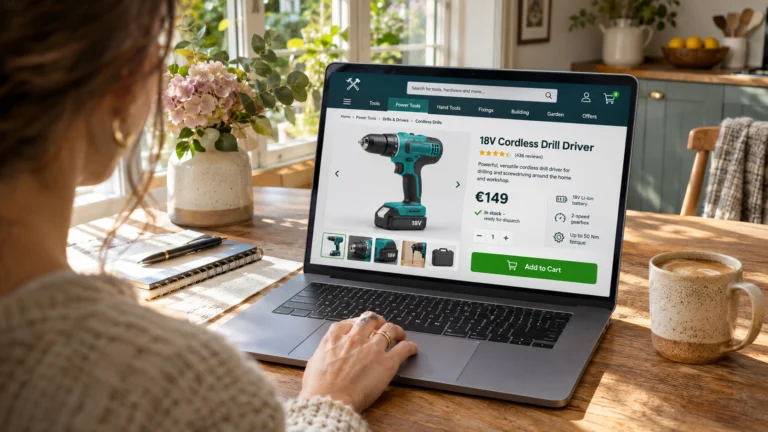
A clear name, good photographs, a visible price and an understandable description are the essentials. Depending on the product, customers may also need dimensions, materials, technical specifications, available variants or instructions.
The description should explain what the product does and who it is for. For garden equipment, for example, it helps to explain the type of work or area a tool is designed for.
Information about availability, payment and delivery should be easy to find before checkout is completed.
A shopping experience built for mobile
The mobile version deserves particular attention during development and testing. On a smaller screen, customers should be able to open the menu, use filters, view photographs and add products to the cart with ease.
Text should be readable, buttons large enough to tap and forms straightforward to complete. Long descriptions and specifications can be organised into clearly labelled sections so that essential information remains easy to find.
The most useful check is practical: complete the entire journey on a phone, from finding a product to confirming an order.
A straightforward cart and checkout
The cart should clearly show selected products, quantities and prices. Customers should be able to change quantities or remove an item without repeating earlier steps.
At checkout, ask for the information needed to process and deliver the order. If an account is not essential, allow customers to buy without registering.
Show delivery costs and the total before customers confirm their purchase. Afterwards, clearly confirm that the order has been received and explain what happens next.
Administration that supports daily work
The people running the shop need a practical experience too.
Adding products, updating prices, organising categories and reviewing orders should be straightforward. For larger catalogues, consider bulk updates, data imports and potential connections to other business systems early in the planning process.
Before choosing a platform, list the tasks your team performs every day. This helps distinguish what you need now from features that may become useful as the business grows.
From business requirements to a working shop
A good online shop brings customer needs and business operations into the same plan. A clear catalogue, useful information and easy ordering should be supported by practical content and order management.
At QDevs, we build online shops on our QShop platform, focusing on clear catalogues, product search and filtering, and a straightforward buying process. Clients use the administration panel to manage products, categories, prices and orders themselves.
Planning a new online shop or improving an existing one? Get in touch to discuss your product range, workflow and customers’ needs.